Windows Desktop · v1.0.0

Lull Player — music that stays with you

A full desktop music player with polished playback controls, floating glass overlays, a smart local library, and a built-in YouTube-to-MP3 downloader — everything runs on your PC.

Windows Overlay panels Local library YouTube MP3
Download Lull Player Installer · LullPlayer-Setup-1.0.0.exe
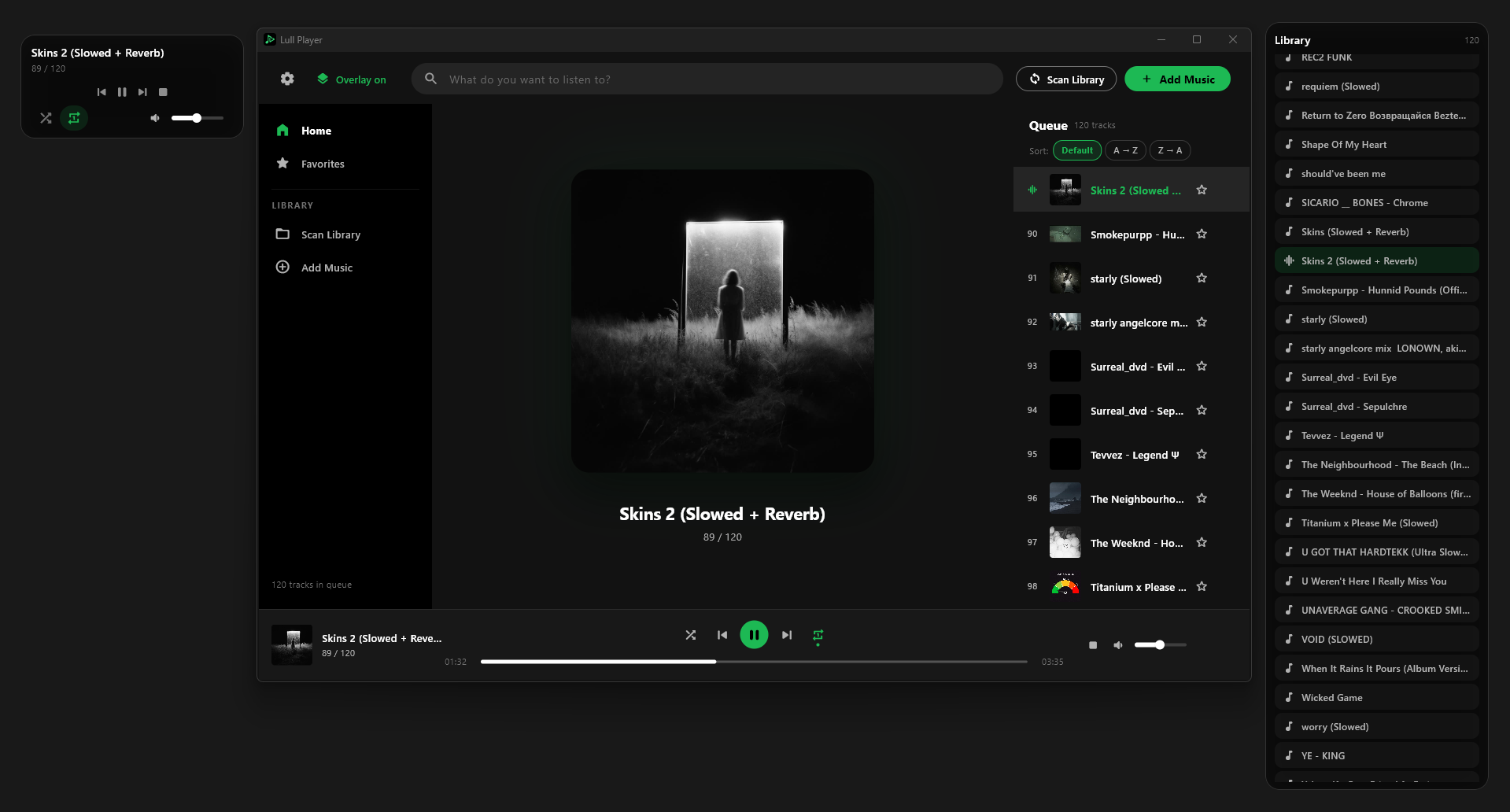
Lull Player main window with floating overlay panels
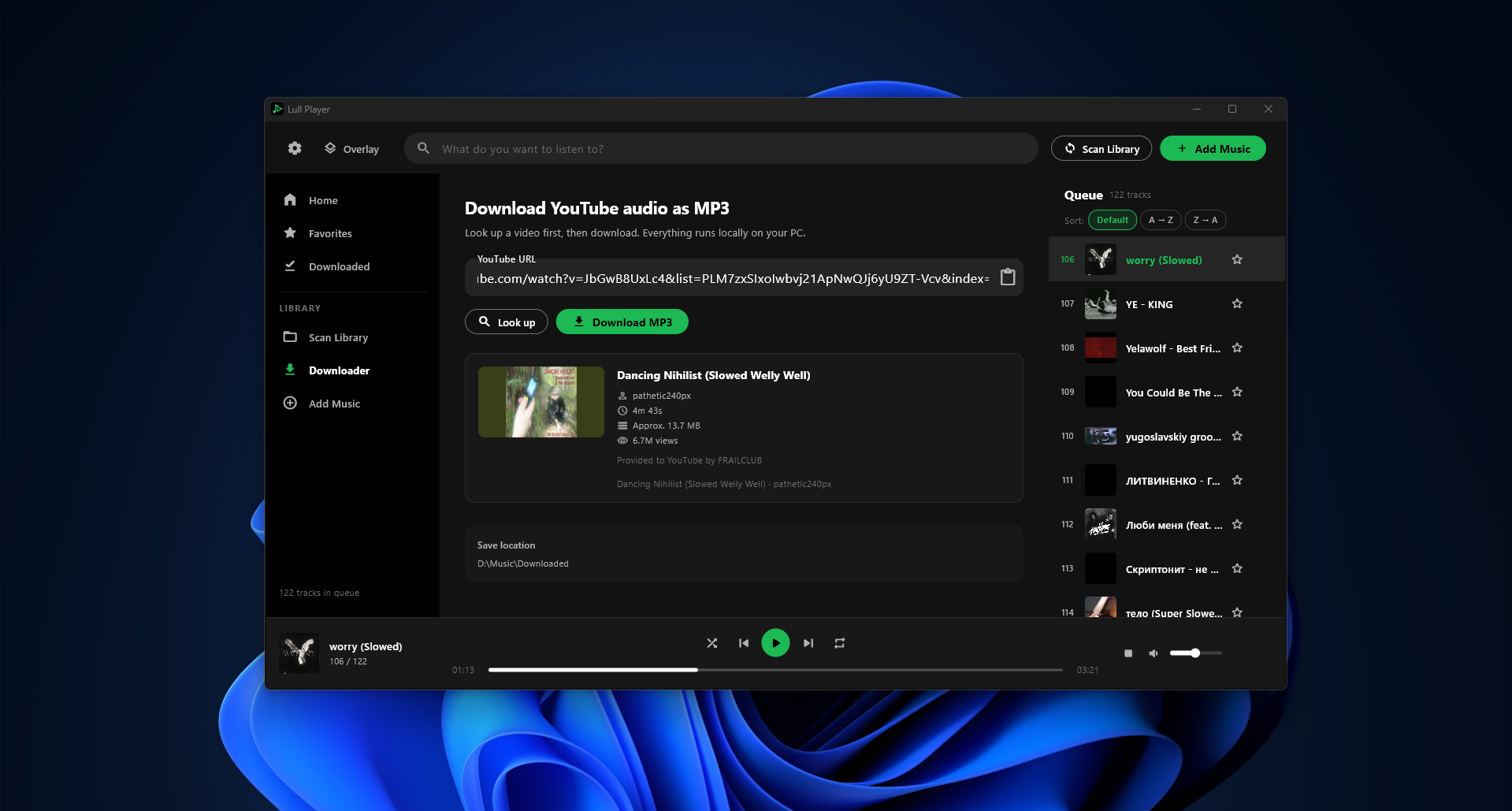
Lull Player YouTube downloader with MP3 conversion

Full player, queue, and always-on-top glass overlay widgets.

Built for daily listening

Playback, library management, and desktop overlays — without sending your music to the cloud.

Full playback controls

Shuffle, repeat modes, seek bar, volume memory, queue position, and resume where you left off.

Floating overlay

Two glass panels — compact controls and a full library list — draggable, always on top, synced live.

YouTube to MP3

Preview videos, download audio, convert locally, and drop tracks straight into your library folder.

System-wide hotkeys

Play, pause, next track, and toggle overlay from anywhere — customizable in settings.

Everything in one app

From drag-and-drop imports to tray controls — Lull Player is a complete Windows music workspace.

Playback

  • Play, pause, stop, previous & next
  • Shuffle and repeat (off / all / one)
  • Bottom bar with artwork & queue index
  • Playback history for previous track
  • Resume last track and position

Library & queue

  • Home, Favorites, and Downloaded views
  • Real-time search and A→Z sorting
  • Star tracks and remove from queue
  • Drag-and-drop files anywhere
  • Scan library folder on startup

Downloader

  • Paste a YouTube URL and preview metadata
  • Download MP3 with progress & cancel
  • Saves to your Music\LullPlayer folder
  • Add to queue or open folder after
  • Runs 100% locally on your PC

Overlay panels

  • Glass controls panel — transport & volume
  • Library panel — search, filters, play
  • Synced with main window in real time
  • Remembers each panel’s position
  • Toggle via hotkey or top bar

Settings & tray

  • Custom library folder path
  • Launch with Windows (optional)
  • Minimize to tray on close
  • Tray play/pause and restore
  • Links to Qalyx apps & socials

Artwork

  • Embedded tags from audio files
  • Frame grab from video files
  • Disk cache for fast scrolling
  • Large now-playing artwork
  • Animated playing indicator

Supported formats

Audio and video files — video plays audio and artwork can be extracted from the file.

MP3 FLAC WAV OGG Opus M4A AAC WMA AIFF MP4 MKV WebM MOV AVI

Your music stays on your machine

Downloads, conversions, and library scans use bundled Qalyx tools locally — no cloud upload, no account required.